
WhatsApp Now Live on US Google Business Profiles
Google is finally rolling out limited WhatsApp GBP integration to US consumers, with SMS likely to follow shortly -- to read the full article & get them delivered to your inbox, sign up for our free tier.


In May 2024, Google announced a July 2024 end for Business Profile Chat. In June 2024 Google started testing WhatsApp and SMS integration with GBP in Brazil. Google rolled out this feature to US business profiles on January 22, but it has only recently begun appearing on public profiles in a limited way.
Where It Shows Up
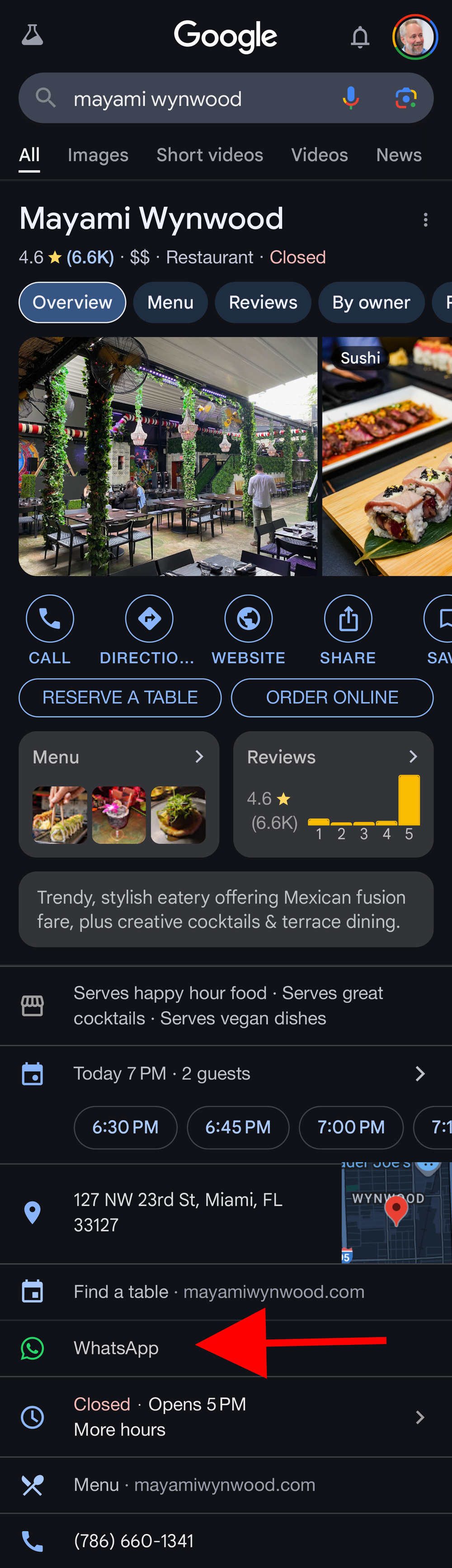
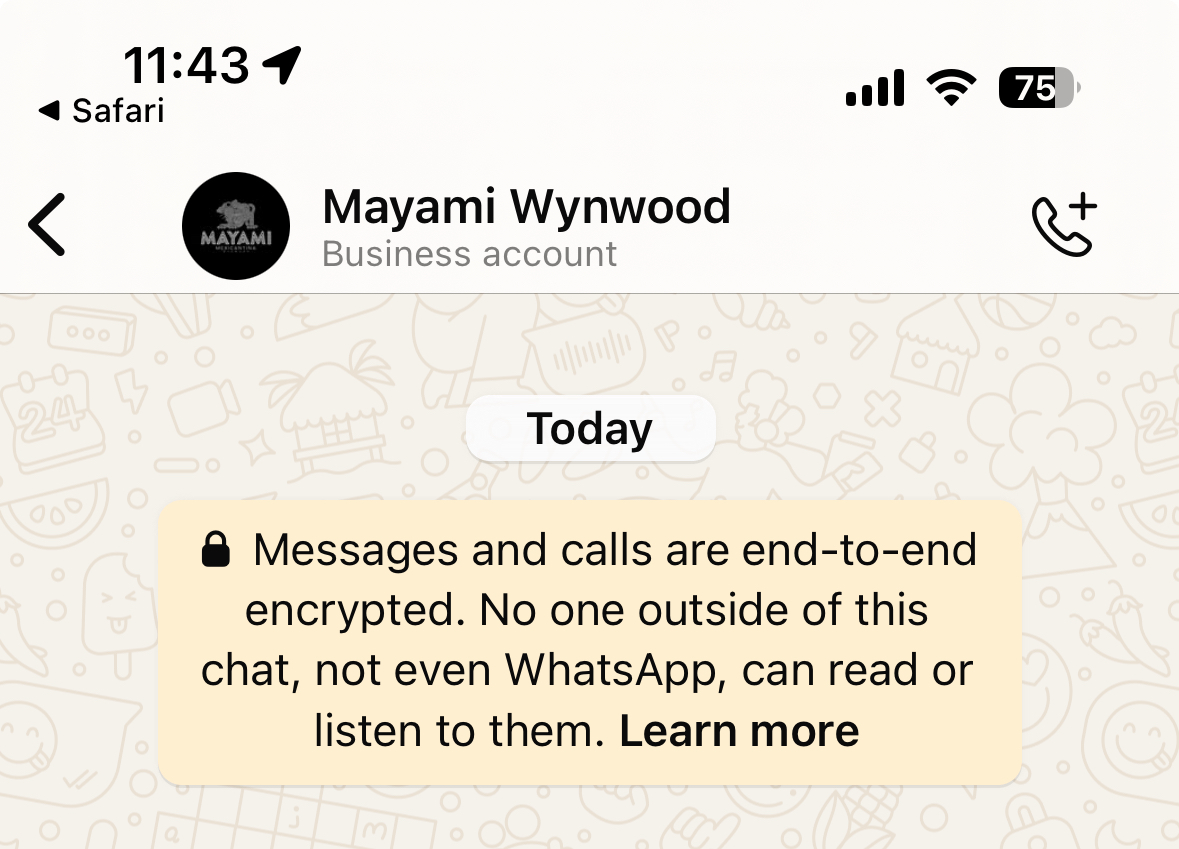
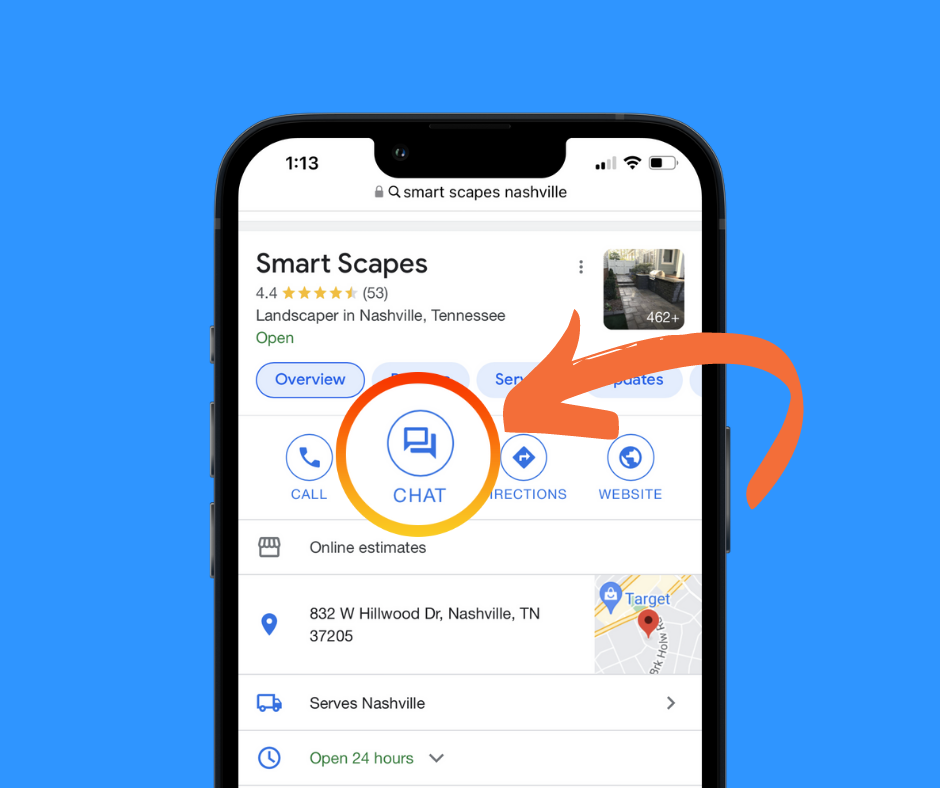
If you do a browser-based, mobile search for a US-based business that has added WhatsApp to GBP, the WhatsApp CTA shows just above their hours. When clicked it initiates a WhatsApp communication if you have the app installed.
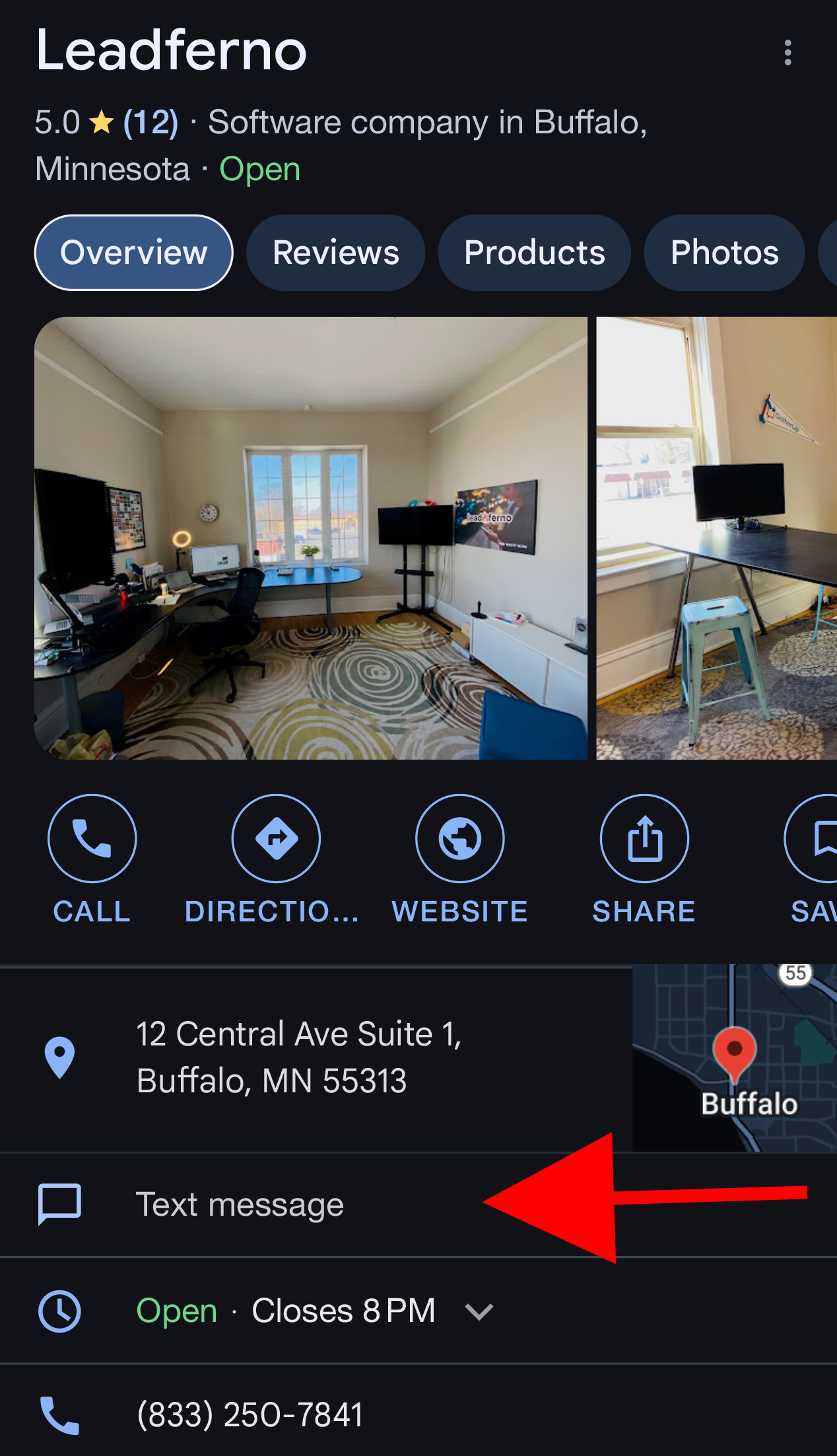
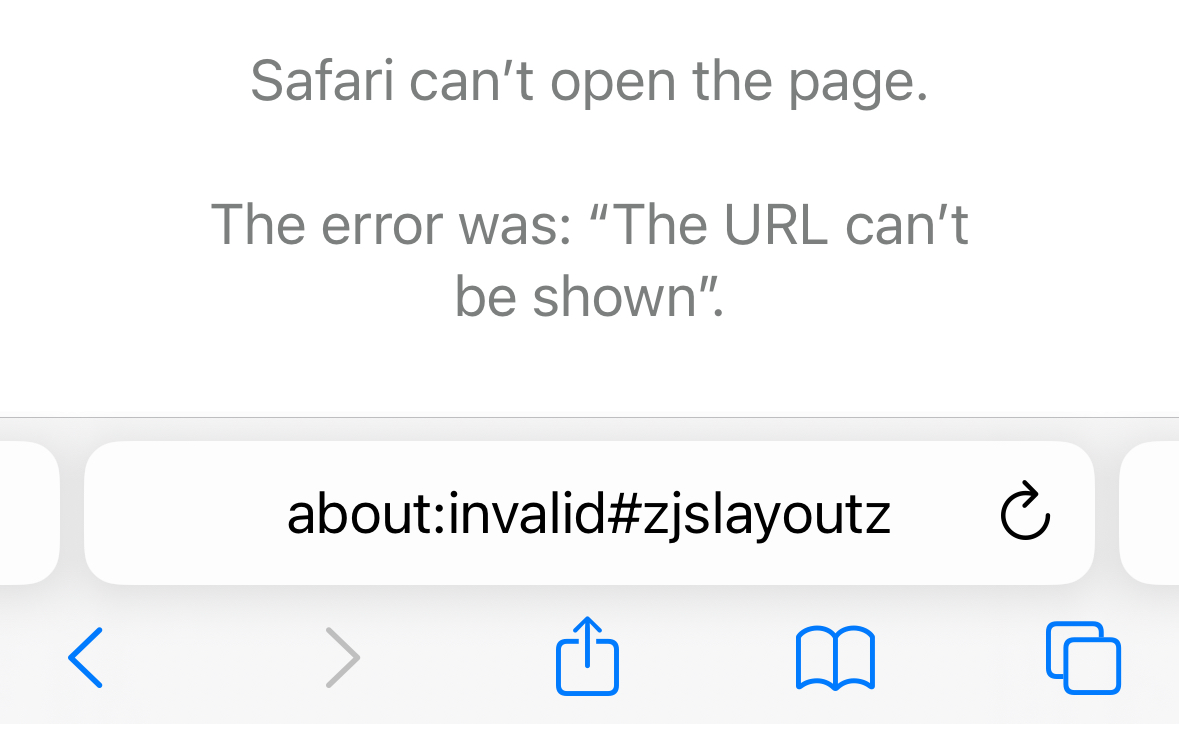
While showing as a CTA on business profiles, SMS/text messaging is still throwing an error and not initiating a message.
Only on Mobile Browsers
The feature currently is only available on browser-based mobile searches. It is not yet available on Google Maps (mobile or desktop) or desktop search.
We assume the SMS functionality will be completed and tested before the other surfaces are added.
Who Should Use It?
Obviously SMS in the US and WhatsApp elsewhere in the world are a preferred communication method for many if not most people.
If you are currently using WhatsApp or SMS for client-lead communication then adding this functionality to your GBP makes sense, if only as a test. Unlike many features on the GBP profile, you can add a single SMS number or WhatsApp link on multiple profiles. That makes this a useful addition for multi-location businesses that are currently using something like Leadferno (SMS) or WhatsApp for prospective and new client communications.
If your business does not yet have processes in place to manage an additional communication channel, it’s best to hold off until you do. Even then it bears watching to be sure that you can manage it and respond quickly.
How to Add WhatsApp or SMM to Your GBP
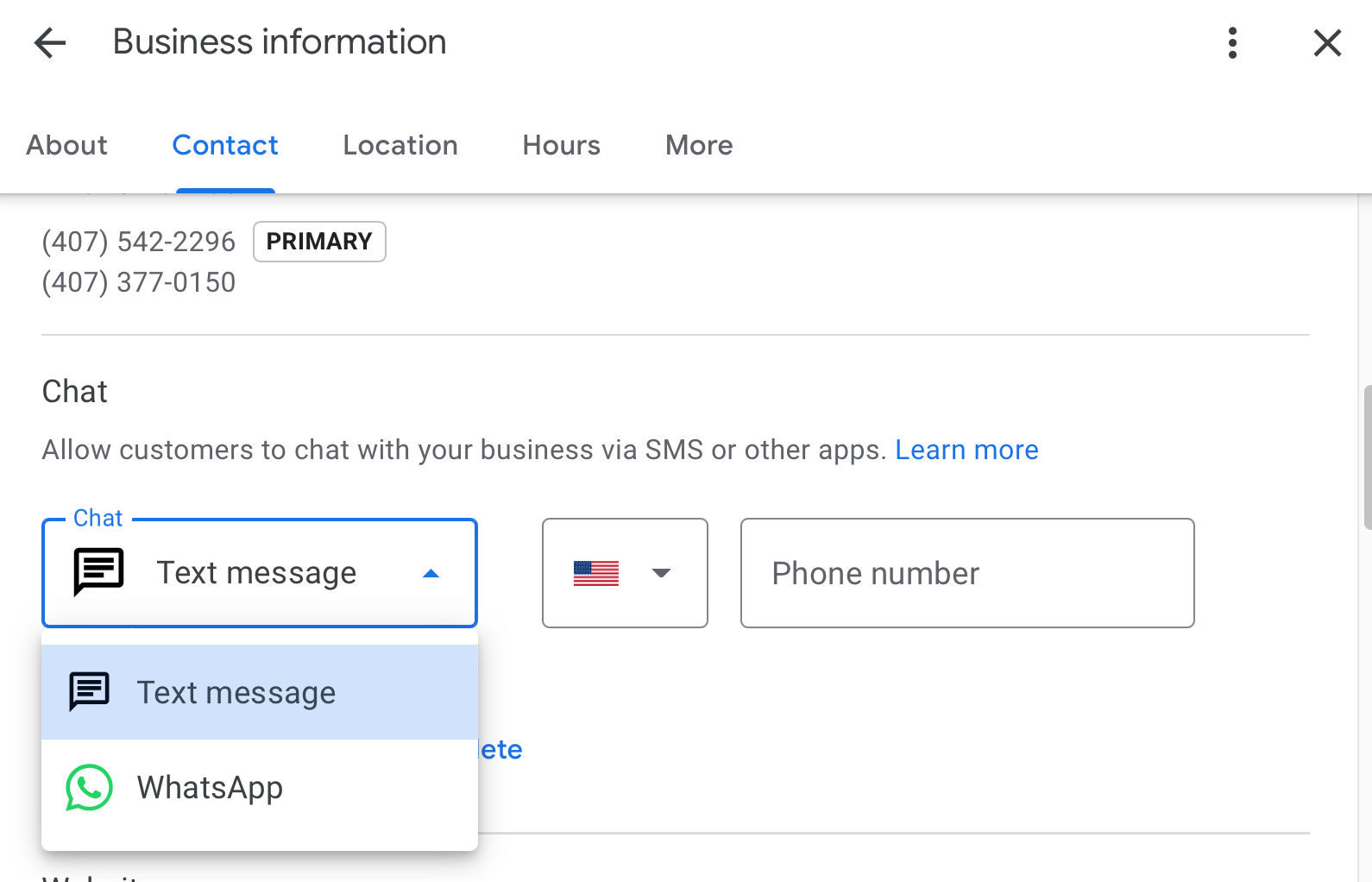
- Go to your Business Profile. Go to the Contact section
- Select Chat: Add
- In the dropdown that opens, select either Text message or WhatsApp
- In the “Number” field, add a phone number that can receive text messages or your WhatsApp URL
- Click Save. To edit, click Chat.
How to Track Success
Since Google does not currently provide performance metrics for this feature, businesses should track activity through WhatsApp Business Analytics or their SMS lead platform. Additionally, monitoring inbound message volume and response times can help assess effectiveness.
What to Watch Out For
This new feature has considerable potential—if consumers adopt it and it does not become overrun with spam. One concern is that GBP Chat had a more visible CTA, whereas WhatsApp and SMS have a more subtle presence. As a result, consumer adoption may be slow.
The Final Decision
We recommend testing this over the next six months. If your team can manage incoming messages, spam remains manageable, and it helps convert leads, it may be worth fully integrating into your GBP strategy.
As with all things Google, be prepared for its potential discontinuation if it doesn’t meet Google's internal expectations or align with Google’s long-term priorities.